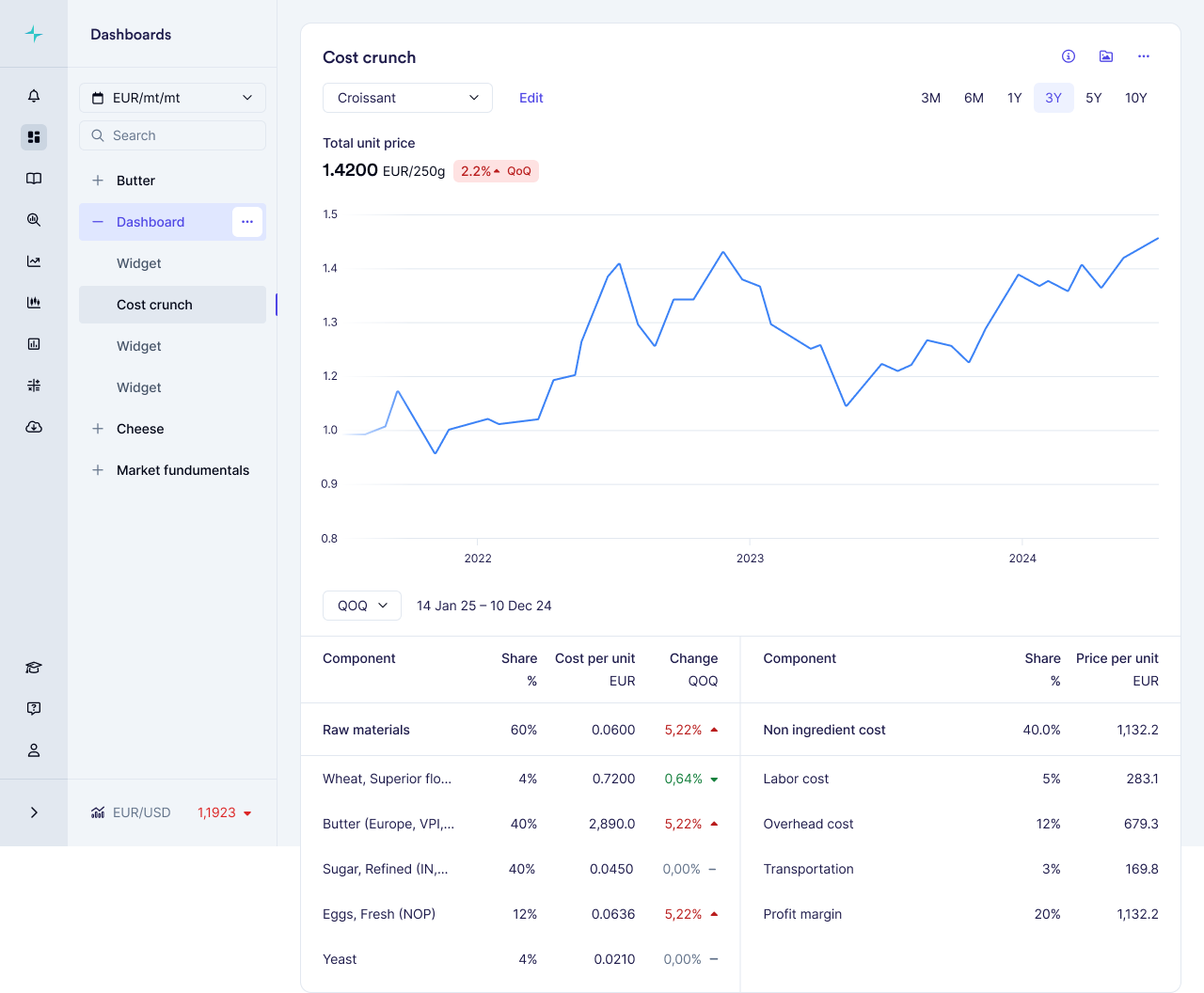

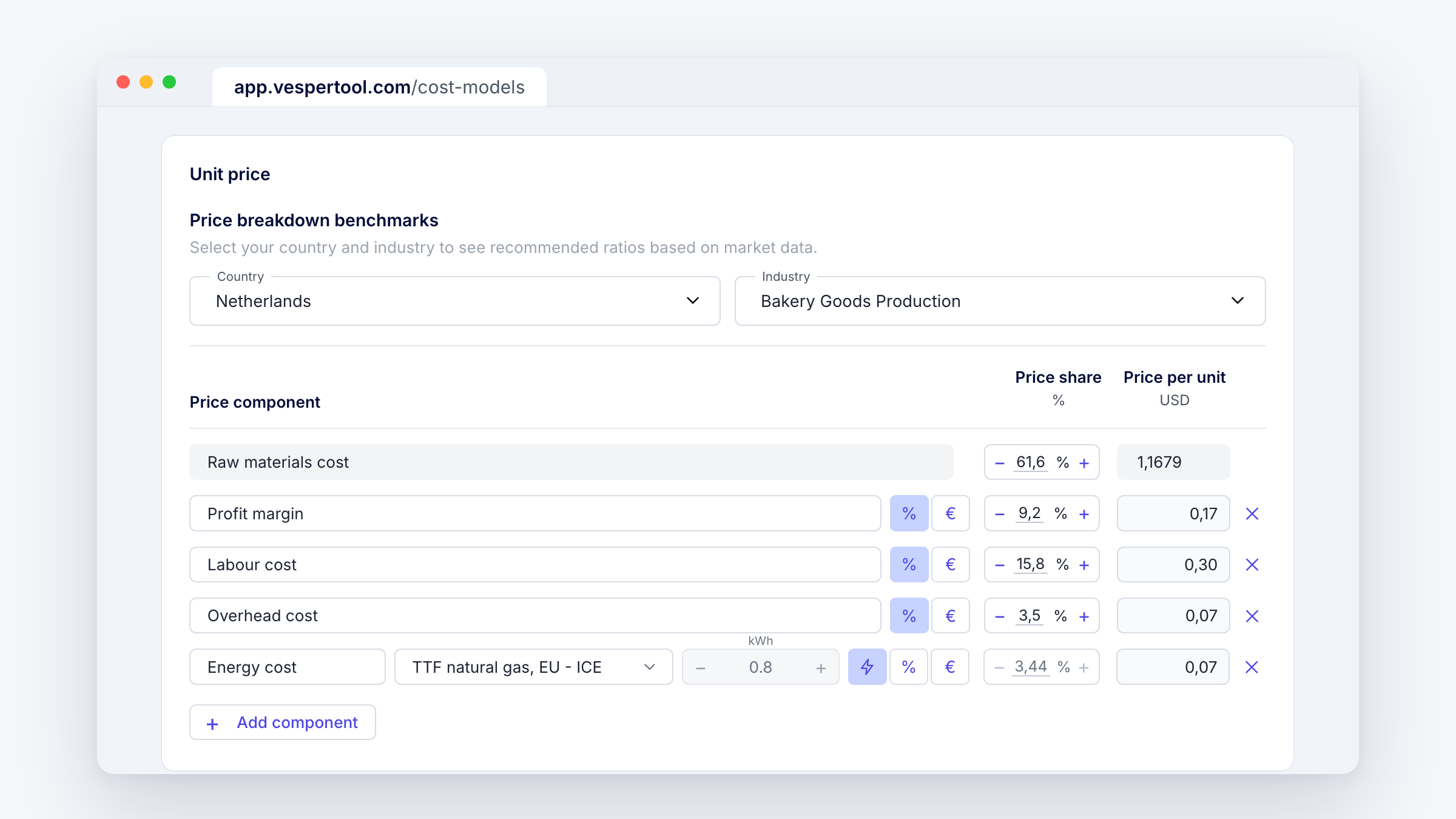
Energy no longer has to be a fixed share in your cost model. You can now link the energy line to a live market benchmark and set how much energy goes into each unit. Vesper recalculates the cost every month.
What’s new
- Switch the energy line to the live benchmark option (the lightning icon, next to % and €).
- Pick the benchmark. TTF natural gas (EU, ICE) is the default.
- Set the kWh that goes into one unit. The price share and the price per unit then follow the benchmark each month.
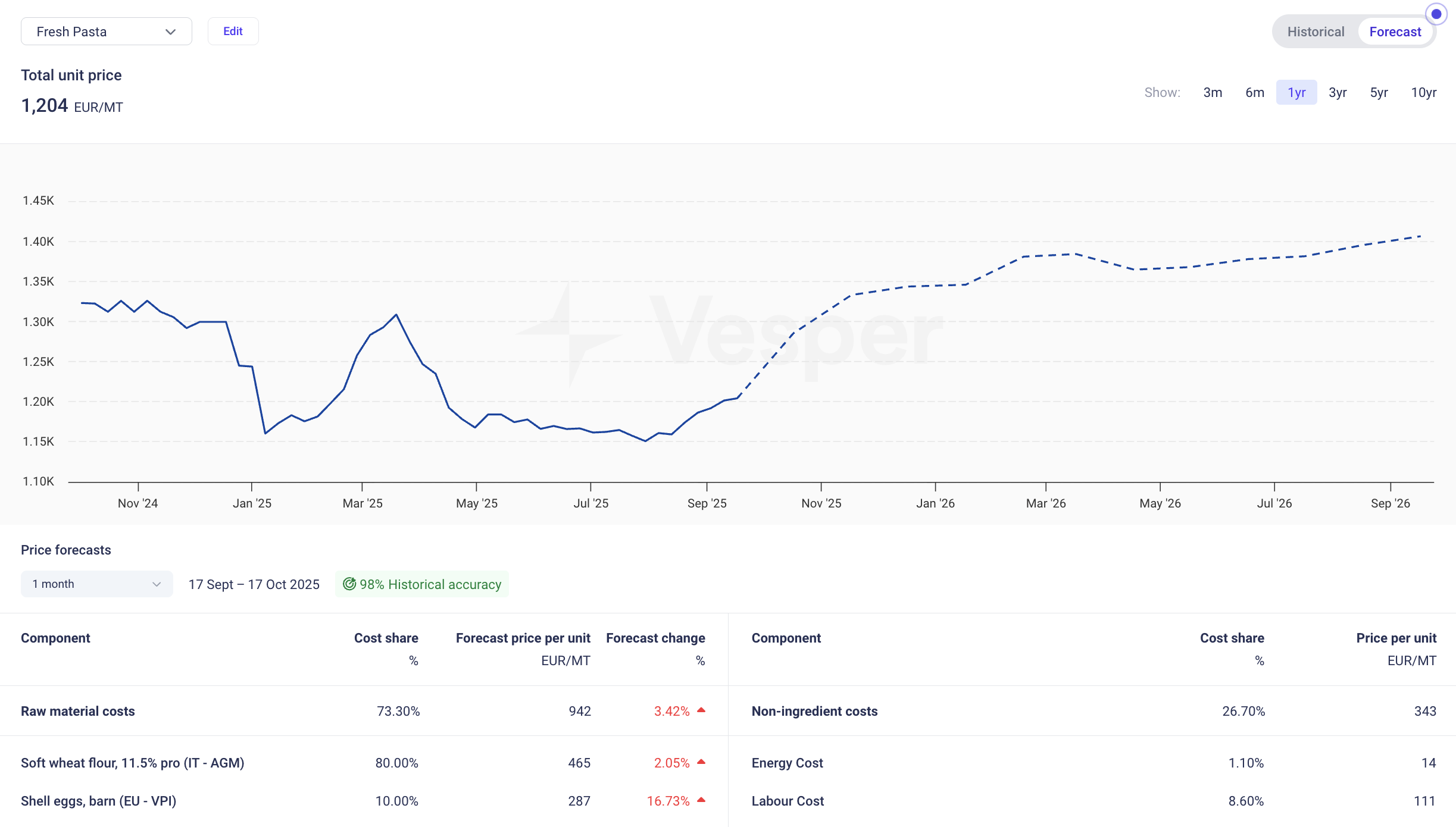
- The Change column shows how energy moved over the month, the quarter and the year (MoM, QoQ, YoY).
- The Change column now shows the actual euro movement for labour, overhead, transport and profit margin too. Before, those lines showed 0.00%.
Why this matters
When a supplier asks for a price increase, energy is often part of the story. With energy tracked against the market, your cost model shows how much of that story holds up, next to your ingredient prices. And because every line in the Change column now shows a real euro figure, you can take the full breakdown into a supplier meeting or an internal review and explain where the cost went.
How to access
Live for all Vesper users with cost models. Open a cost model, go to Unit price and add or edit the Energy cost line. Questions? Email support@vespertool.com.